232
New-student applications processed
194 approved, 34 rejected and 4 pending.Web app · Education · Automation
CAMP connects applications, room allocation, fee checks and notifications for FAST NUCES Multan, so the hostel office can focus on decisions.
New-student applications processed
194 approved, 34 rejected and 4 pending.Automated status updates
Sent to 194 students since July 27, 2026.Completed self-service reallotments
Of 110 requests; 14 in progress and 3 refunded.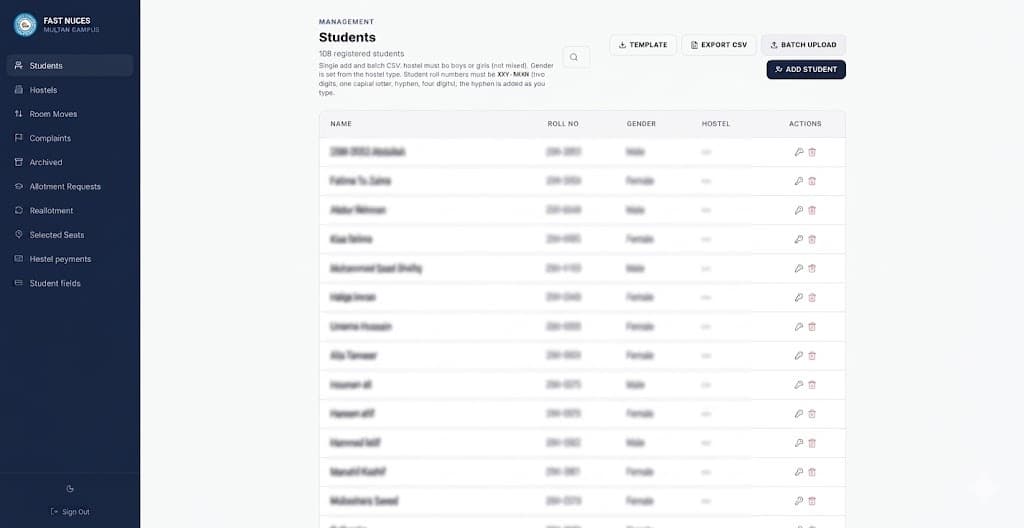
The challenge
Every semester, a small hostel office has to place new students, re-seat returning residents, check bank receipts and tell everyone where they stand. Repeating those steps one student at a time makes each intake slow to coordinate and easy to get wrong.
New admissions need suitable rooms and accommodation forms. Returning students need to choose beds without competing for the same seat. Accounts needs to connect every receipt to the right student, while the office needs a live view of occupancy, payments and pending requests.
The response
We built around the semester calendar, starting with allotment and reallotment. Each process has its own status pipeline so staff can see where every student stands and act on a whole batch at once.
Staff retain approval and fee-verification decisions. The portal creates accounts, proposes room matches, prepares forms and sends updates. Seat claims, gender restrictions and role permissions are enforced in the database.
Across approximately 19 weeks, we shipped 294 commits and adjusted the system with staff during live intake. Seven role-specific views serve students, faculty and staff, administrators, accounts, hostel managers, mess managers and gate guards.
Allotment
This intake brought 232 new applications. Staff review applications and verify payments; the portal handles the repeated work between those decisions.
Students use a public intake form whose fields and sections the office can edit. Bulk acceptance creates student accounts, login IDs and PINs.
CSV exports and imports update roll numbers and verify a batch of payments. Staff can also refund or transfer a student’s payment.
Auto Allotment prioritises the same district and degree, then application age, within gender-appropriate hostels. The office confirms the allocation and sets a shared room-reveal date.
The portal produces accommodation PDFs and PDF or Excel summaries. University email addresses are generated from roll numbers in one action; 275 accounts have one on file.
Reallotment
Students request reallotment, the office accepts, and each student picks an available bed and submits a fee receipt. Accounts verifies the payment to complete the room assignment. A receipt that needs correction returns for review.
Database-enforced seat holds prevent competing claims for the same bed. Gender checks apply to room queries, the interface and the final claim. Separate room pools keep new admissions and returning students from competing for the same beds.
Across 18 sessions, the system recorded 131 seat picks. Of 110 reallotment requests, 93 are complete, 14 are in progress and 3 were refunded. Completion advances the student’s semester; refunds and transfers remain in the status history. A status board includes students who have not yet applied.
Communication
Since July 27, 2026, the portal has sent 784 status updates to 194 students. Updates appear by email and in the in-app inbox, with push notifications on 64 opted-in phones.
A status change triggers a Supabase serverless function and an n8n workflow that sends through Gmail. A scheduled job checks hourly for room-reveal dates and retries failed sends. The in-app record remains available if email delivery is down.
Bulk approvals send personalised login emails automatically. Students can reset their own PIN using a one-time code delivered by Brevo to their university email, or their personal address when needed.
| Update | Trigger | Recorded sends |
|---|---|---|
| Application approved | Office approves the application | 168 |
| Hostel fee verified | Accounts verifies payment | 173 |
| Room confirmed | Room assigned or reveal date reached | 437 |
Daily operations
The same system connects hostel administration with accounts, mess staff and gate guards. Thirteen product modules cover both semester intake and daily operations.
| Workflow | What the team can do |
|---|---|
| Reports | Export nine branded reports, including occupancy, student rosters, allotment status, seat selections and room moves, plus individual student reports. |
| Room moves and complaints | Approve swaps and transfers in one place; 59 move requests logged. Track complaints with attachments; 16 filed. |
| Gate access | Scan student QR codes for entry and exit, register walk-in visitors and see live in/out counts. |
| Mess and meals | Book daily meals, record serving attendance by QR or RFID and calculate monthly bills from the menu. |
| Billing and staff | Review bank receipts and student ledgers, record staff meals and manage special canteen orders. |
| Campus setup | Manage departments, degrees, intake fields and account archives. Hostel-only mode hides mess features when those run separately. |
Engineering
React 18, TypeScript, Vite, Tailwind CSS, shadcn/ui and Framer Motion power the interface. Supabase provides Postgres, row-level security, authentication, storage, six serverless functions and scheduled jobs. Vercel hosts the app.
Cloudflare Turnstile and rate-limited sign-in protect public access. Database role checks, 124 versioned migrations, reallotment audit history and unit tests for room allocation support the operational rules.
During development, we split the 17,250-line admin screen into more than 30 focused components, reducing the main file to 3,892 lines while preserving the staff workflow.
What changed
232 new applications processed. 93 returning students re-seated through self-service. 784 status updates sent automatically. Staff approve applications and verify fees; the portal creates accounts, matches rooms, prepares paperwork and keeps students informed.
Source: supplied project case study, with live-database counts as of September 26, 2026. The system records 303 active residents; that account count is distinct from its 292-bed capacity. Time savings have not been measured, so the unconfirmed 39-hour estimate is not presented as a result.
Running admissions on spreadsheets? Let’s automate it.